

Checked by a test suite
335 automated tests run the rules against a real database and assert what each kind of person can and cannot do, including strangers and signed-out visitors. They run before any change to the rules ships.
Security and your data
Some of what follows is enforced by the server, which means it holds no matter what any browser asks for. Some of it is the app choosing what to display. Those are different promises, and this page keeps them apart.
Enforced by the server
Every read and every write is checked against a membership record for that specific project. Being signed in is not access; being a member of one project grants nothing in another. Somebody with no membership gets nothing at all, and that is decided on the server rather than by the app on your screen.
335 automated tests run the rules against a real database and assert what each kind of person can and cannot do, including strangers and signed-out visitors. They run before any change to the rules ships.
A designer or contractor can change exactly one thing about an item: whether it has been delivered. An attempt to change that and the price together is rejected outright rather than partly applied.
An invitation grants nothing by existing. It is checked when it is claimed, and only for the address it was sent to, on an account that has confirmed that address by email.
Hidden from view
Prices, payments, who paid and receipt links are kept out of a designer's and a contractor's view, and the documents section is not shared with them at all. Two of those are different in kind, so here is the distinction the app itself draws on its own settings screen.
Genuinely denied by the server. A functional role asking for them is refused, whatever their browser does.
Hidden from view rather than withheld. They live on the same record as the item's name and room, which a designer legitimately reads, so the data is present in their browser even though no screen shows it. Somebody technical could find it there.
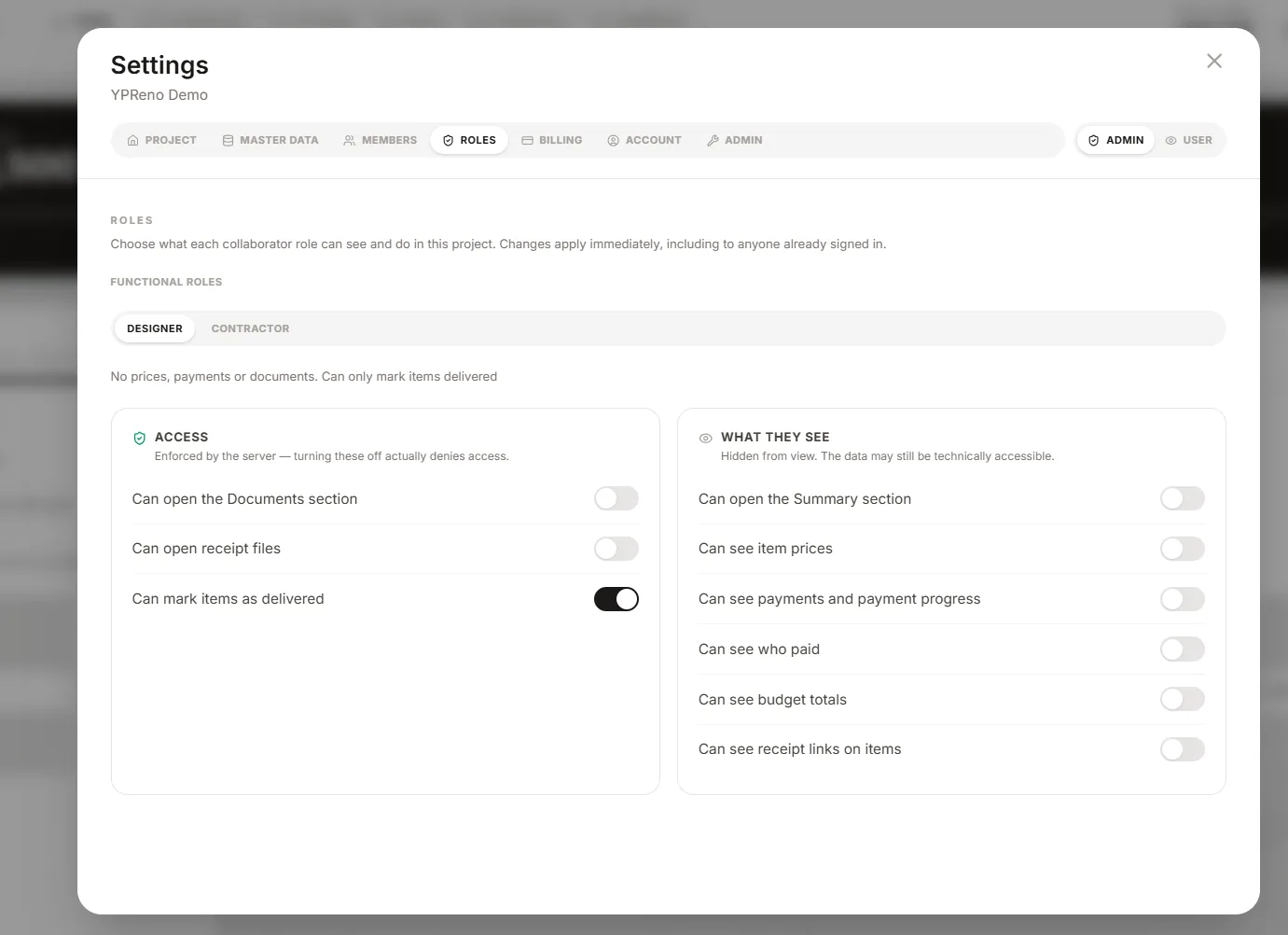
This is why the roles are described as discretion rather than confidentiality. They are the right tool for a collaborator who should not be shown the budget. They are not the right tool if somebody must provably never learn it.
Your data
Both are in the app, not in a support queue.
A zip with your items as a spreadsheet, plus your documents and receipts. The download link works for seven days and the copy is then deleted, because an export is a second copy of everything and should not sit around being one.
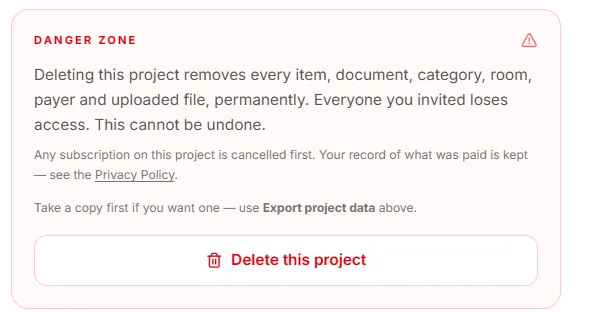
Deleting a project removes every item, document, category, room, payer and uploaded file. One thing is deliberately kept: the record that a payment was made, which is an accounting obligation rather than renovation data. The screen says so before you confirm.
Payment
Payment is handled entirely by Stripe, on Stripe's own pages. YPReno never sees or stores a card number, and there is nothing here for a card to be stolen from. What is kept on this side is which plan a project is on and when its access runs to.