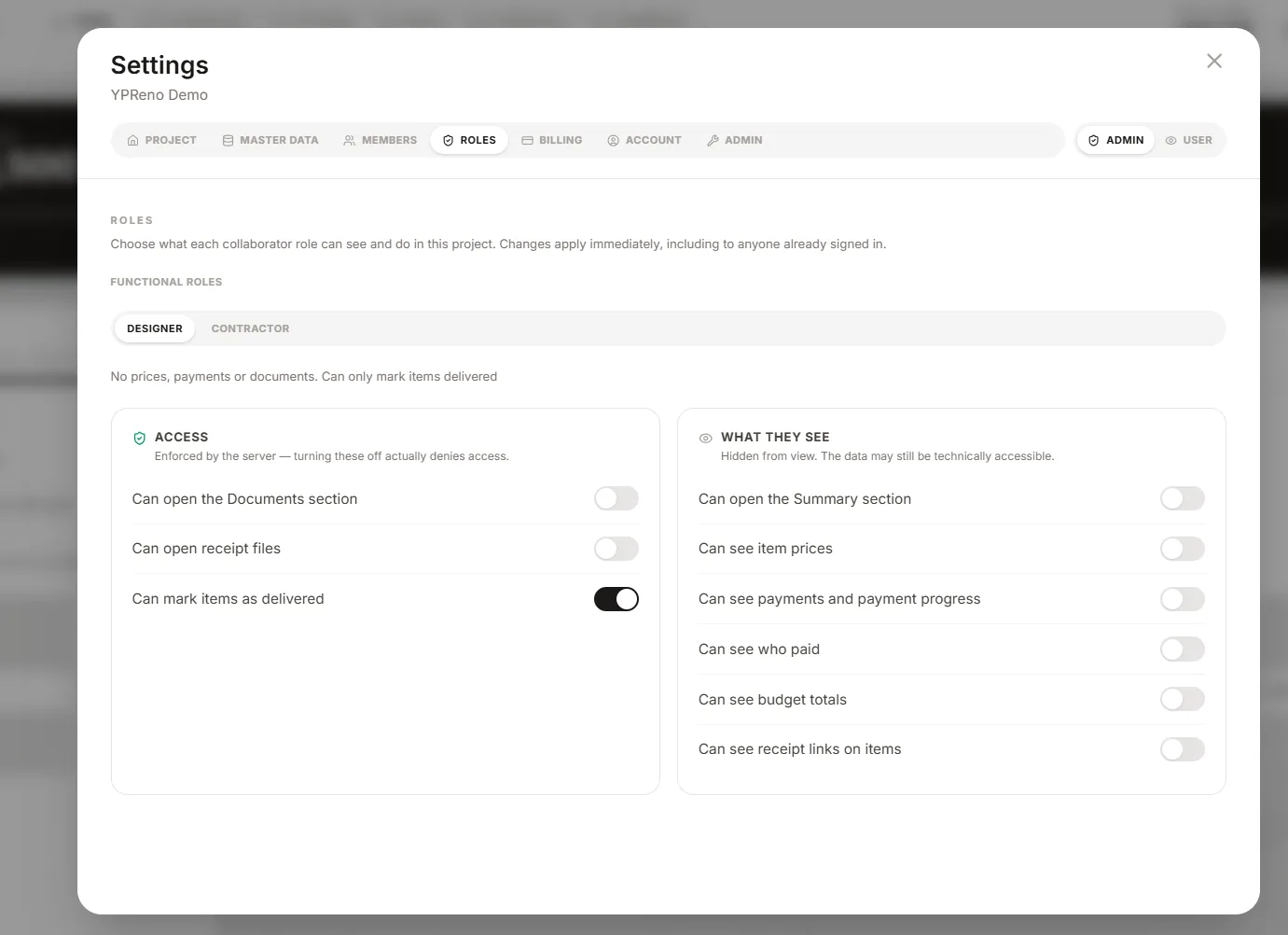

Roles, not shared logins
Admin, editor and viewer for the people on your side; designer and contractor for the people on theirs. Everyone signs in as themselves — nobody shares a login.
Working with other people
Invite the people working on your renovation and give each of them a role. A designer and a contractor get the rooms, the items and the delivery schedule, and can mark things delivered as they arrive. Prices, payments and receipts are kept out of their view, and the documents section is not shared with them at all.
Admin, editor and viewer for the people on your side; designer and contractor for the people on theirs. Everyone signs in as themselves — nobody shares a login.
Invite by email. Collaborators never pay: billing belongs to the renovation, not to the people working on it.
When someone marks an item delivered, the app records who marked it and when, and tells you about it. Nothing changes quietly.
Invite whoever is part of the project — the person paying half of it, or family who only want to see the 3D render and know how far along it is. Everybody working from the same picture.